TABLE OF CONTENTS
짚고 넘어가야 할 개념
1. 계산된 필드 : INDEX 만들기
index()
index는 뷰 내에서 항목의 순서대로 숫자를 할당하는 함수.
2. Sub-Category 개수 파악
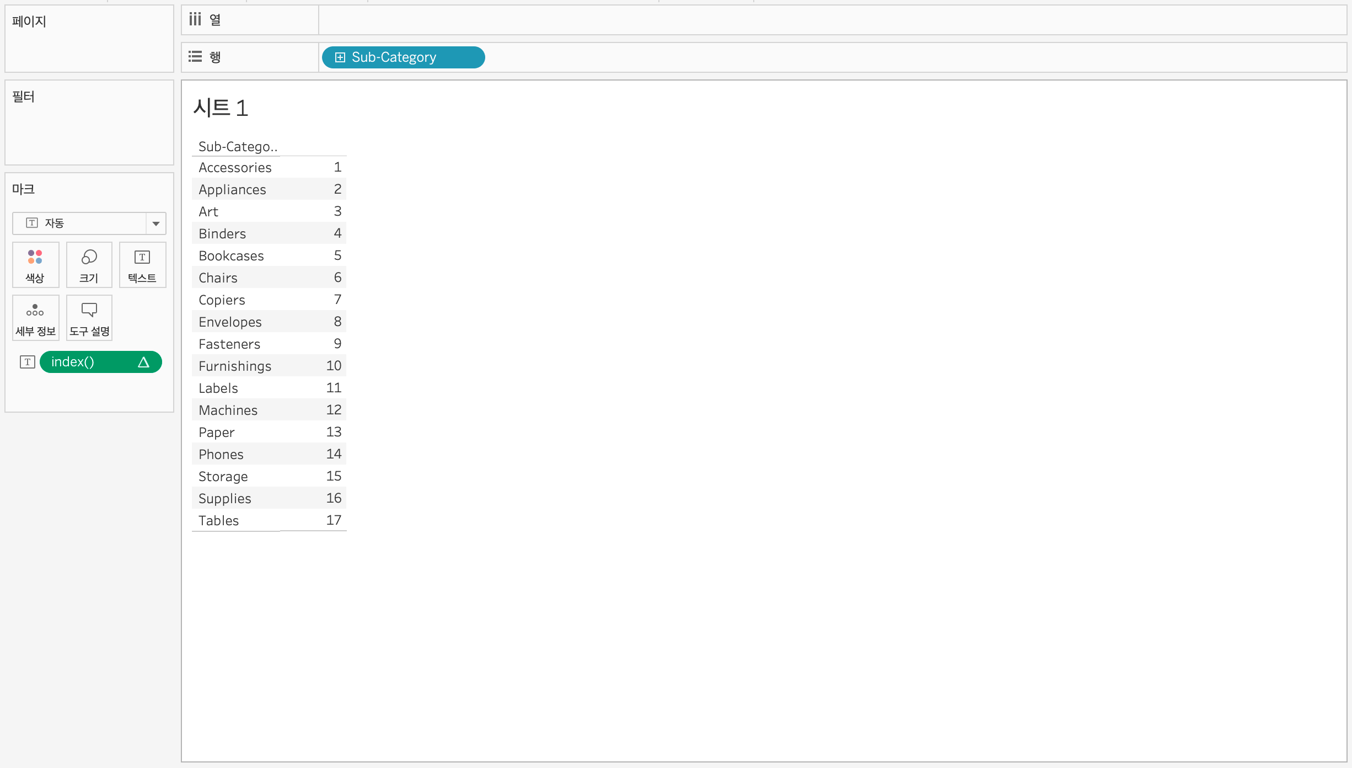
행에
Sub-Category 를 올리고 index 를 마크의 텍스트에 올리면, Sub-Category 가 17개 인 것을 파악할 수 있음.3. 배열 크기 만들기
Sub-Category 가 17개인 것을 파악했으므로, 4행X5열의 배열을 만드는 것이 적당하다고 판단.4. 계산된 필드 : Column 만들기
if
index()%5 = 0 then 5
elseif
index()%5 = 1 then 1
elseif
index()%5 = 2 then 2
elseif
index()%5 = 3 then 3
elseif
index()%5 = 4 then 4
end
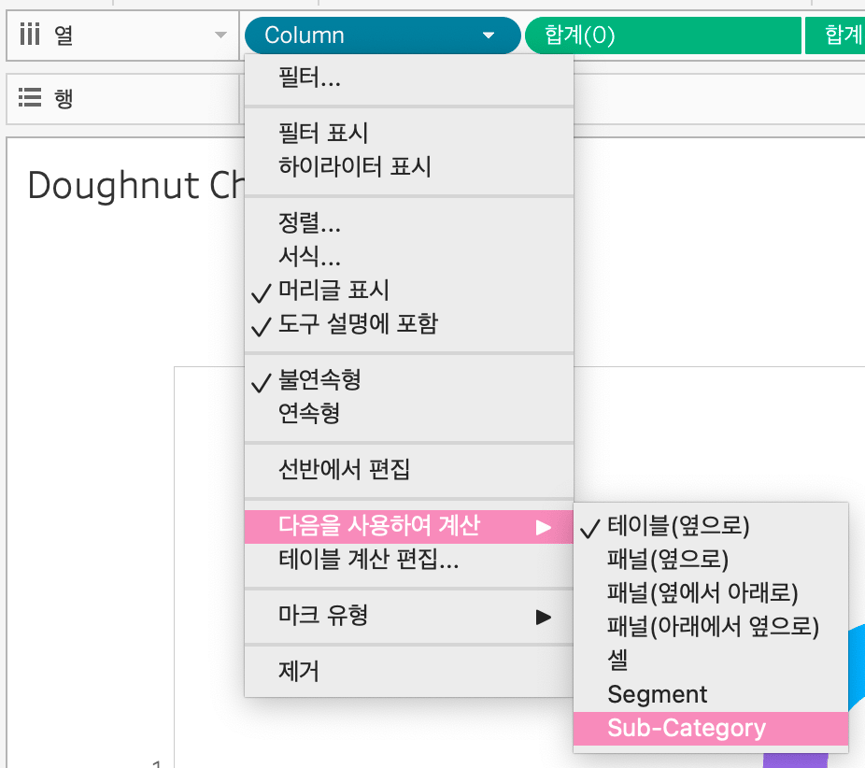
5열 만들기.
5. 계산된 필드 : Row 만들기
if index()<=5 then 1
elseif index()<=10 then 2
elseif index()<=15 then 3
elseif index()<=20 then 4
end
4행 만들기.
(행이 필요한 개수만큼 더 작성해도 됨.)
6. Column 과 Row 를 불연속형으로 바꾸기
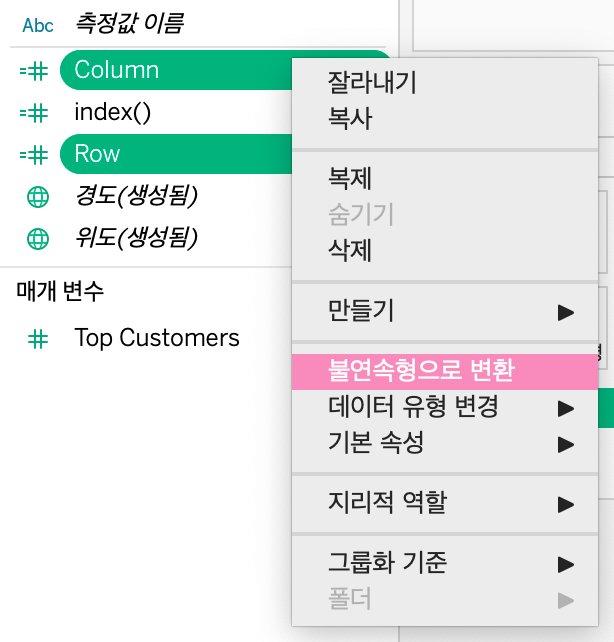
단절된 공간을 만들어 차트를 넣을 것이기 때문에, 연속형이 아닌 불연속형으로 변환시켜줘야함!
7. 계산된 필드 : ‘Doughnut’, ‘Area’ 만들기
'Area'
'Doughnut'
8. 매개변수 : ‘Chart Type’ 만들기
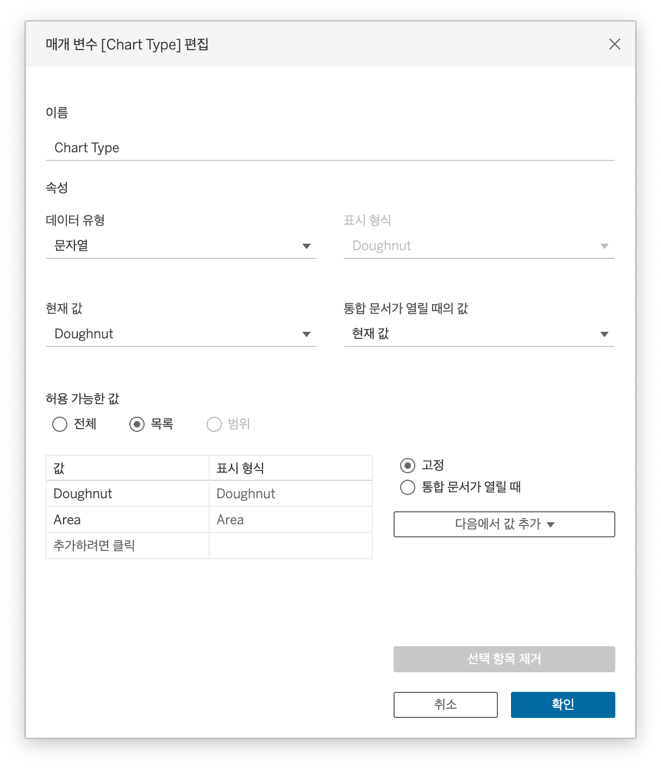
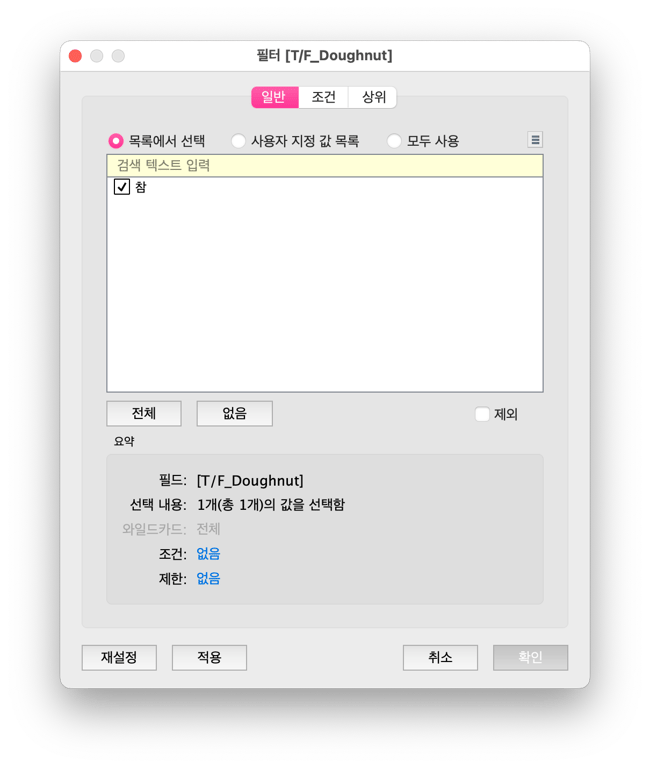
9. 계산된 필드 : ‘T/F_Doughnut’, ‘T/F_Area’ 만들기
[Chart Type] = ['Doughnut']
[Chart Type] = ['Area']
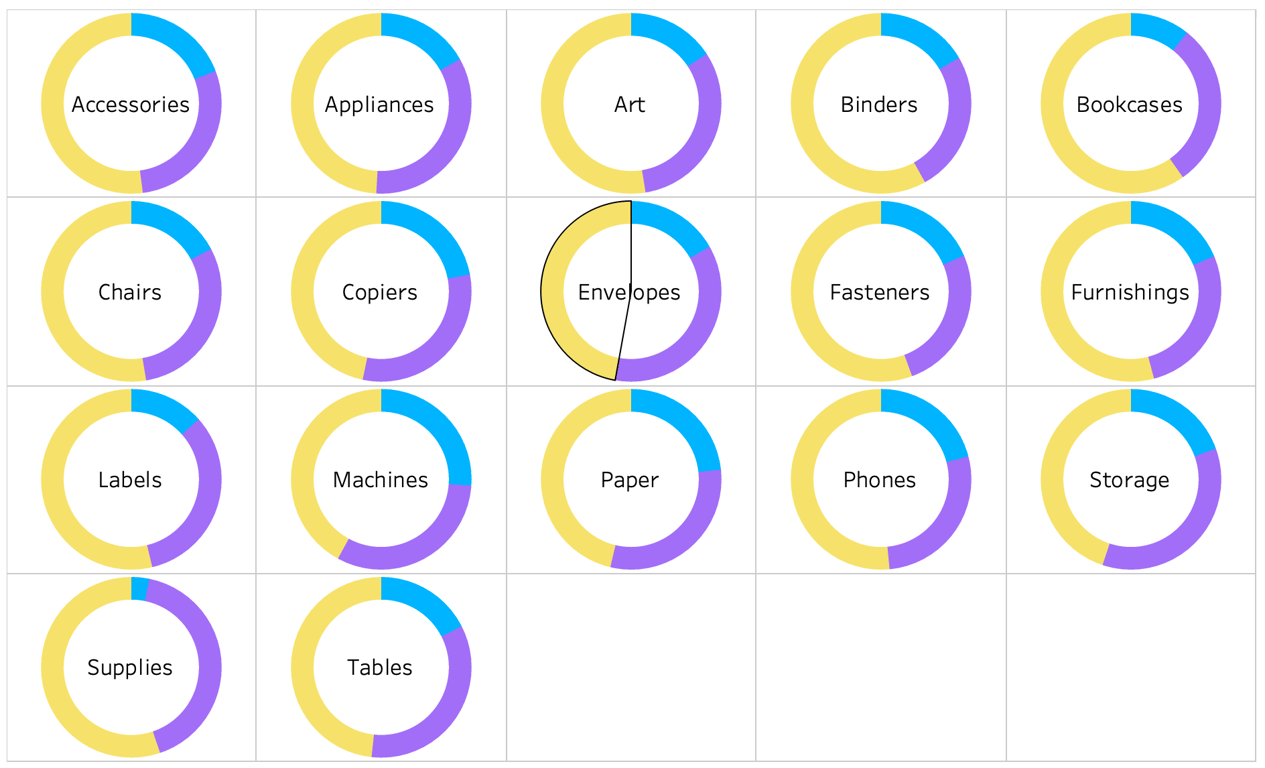
첫 번째 시트 - Doughnut Chart
1. 행과 열을 다음과 같이 배치하기
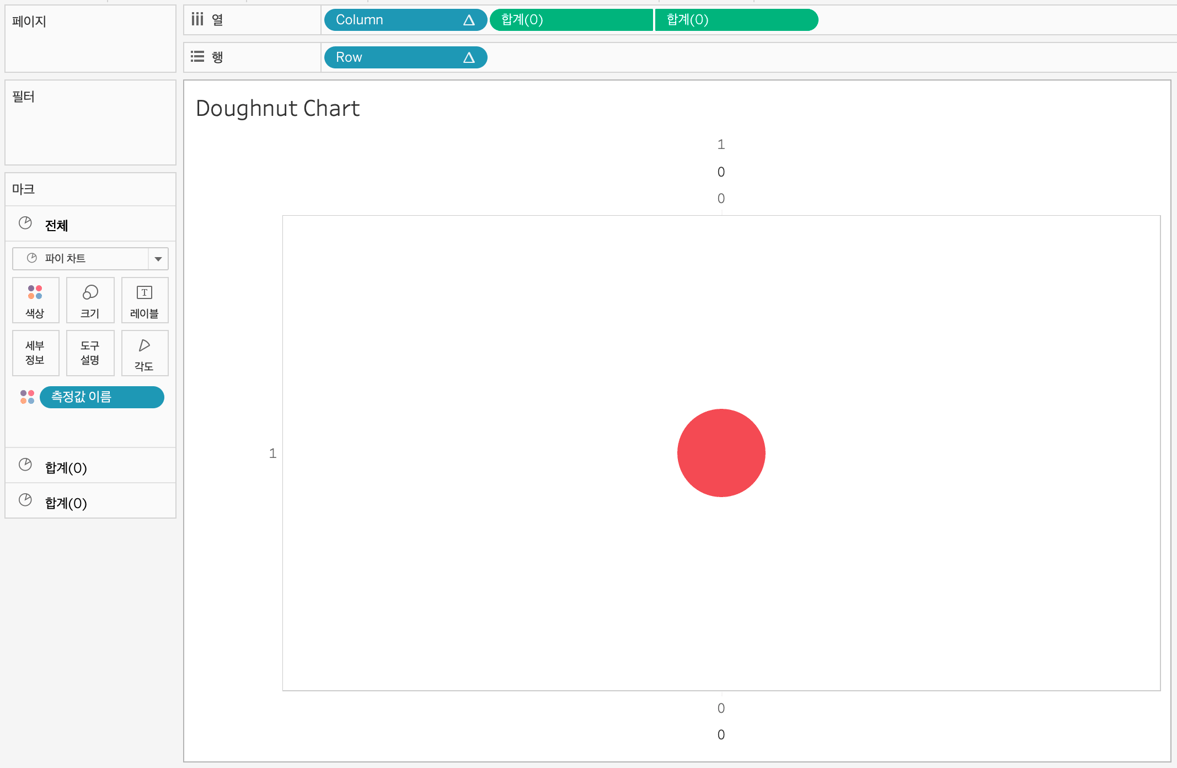
2. 첫번째 마크를 다음과 같이 적용하기
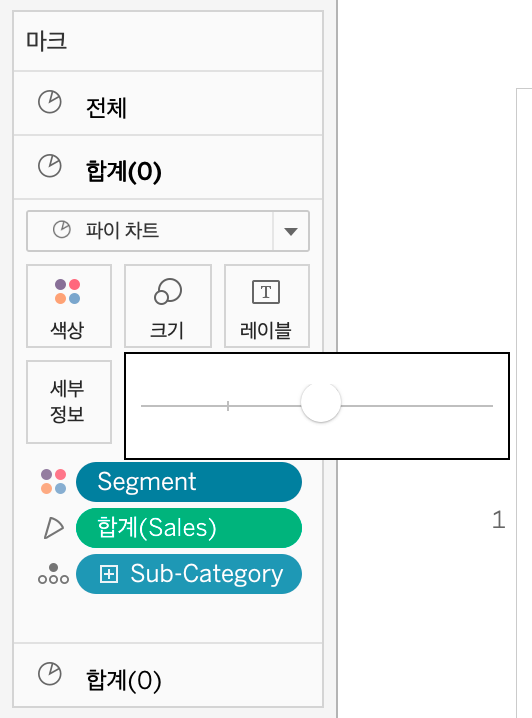
크기도 키워주기!
3. 두번째 마크를 다음과 같이 적용하기
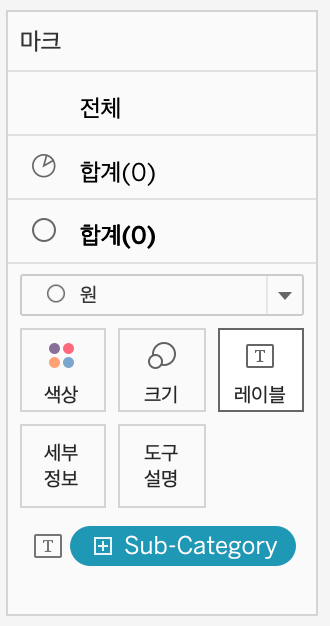
색상 흰색으로 변경해주기!
4.Column 과 Row 를 다음과 같이 변경해주기
5. 필터를 다음과 같이 적용하기
두 번째 시트 - Area Sheet
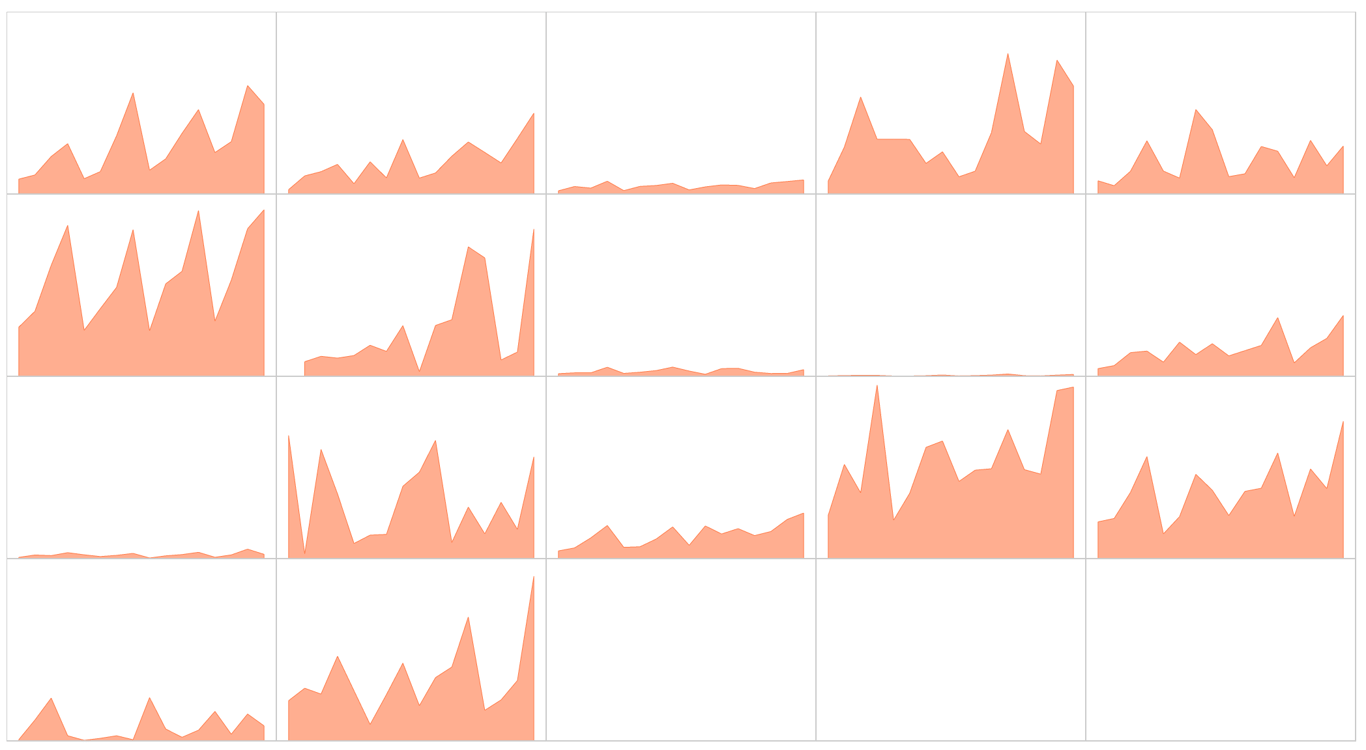
1. 행과 열을 다음과 같이 배치하기
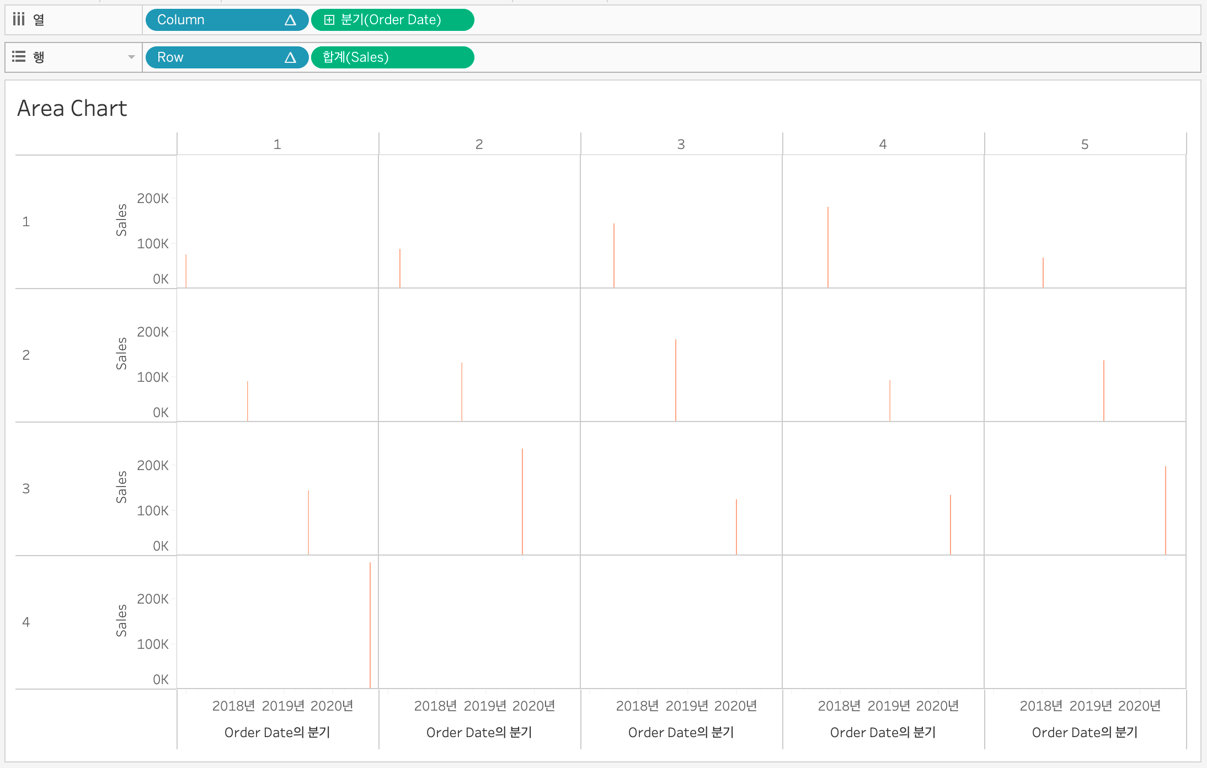
Order Date는 다음과 같이 선택해주기!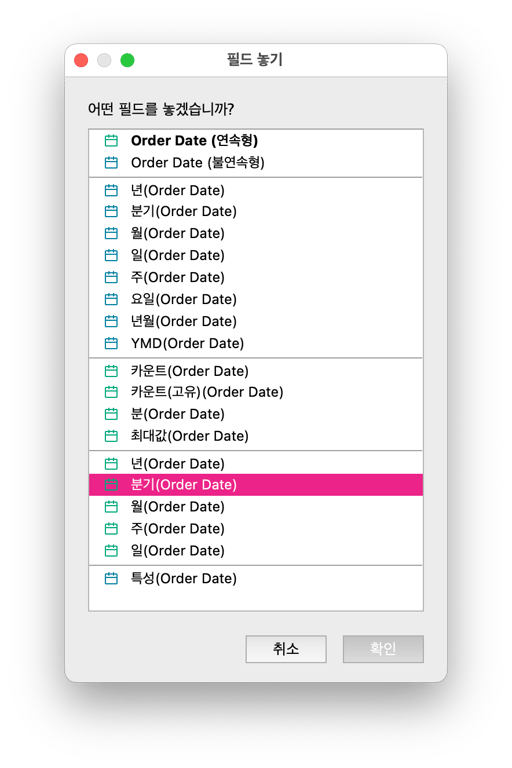
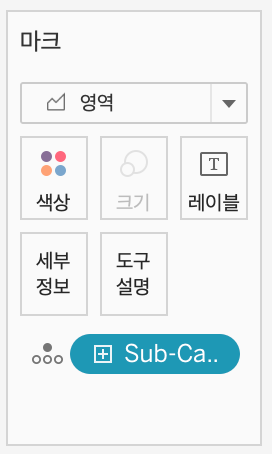
2. 마크를 다음과 같이 적용하기
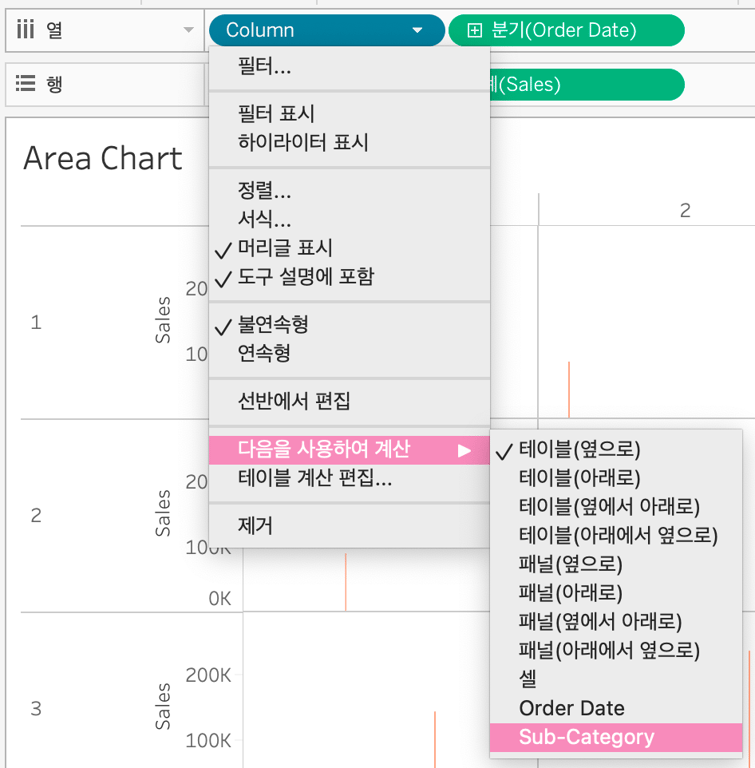
3. Column 과 Row 를 다음과 같이 변경해주기
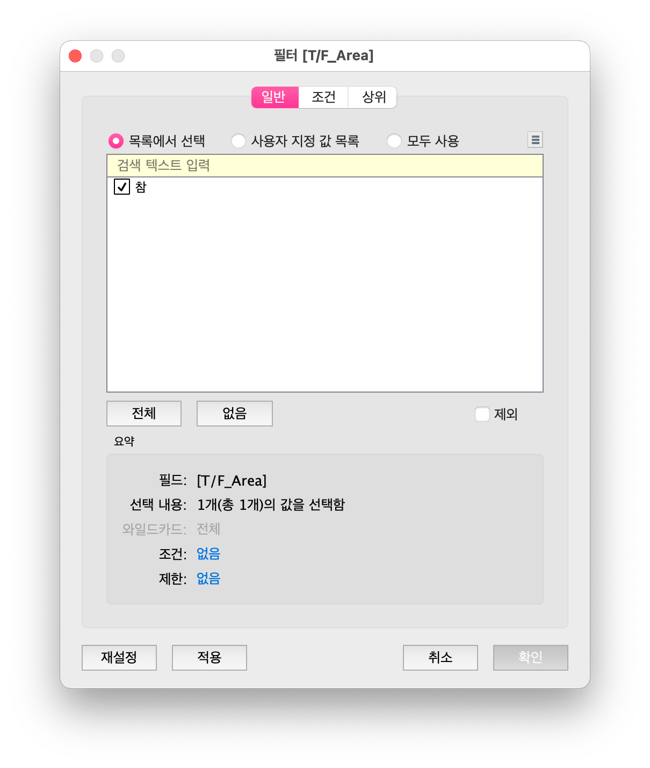
4. 필터를 다음과 같이 적용하기
세 번째 시트 - Icon_Doughnut
1. 행과 열을 다음과 같이 배치하기
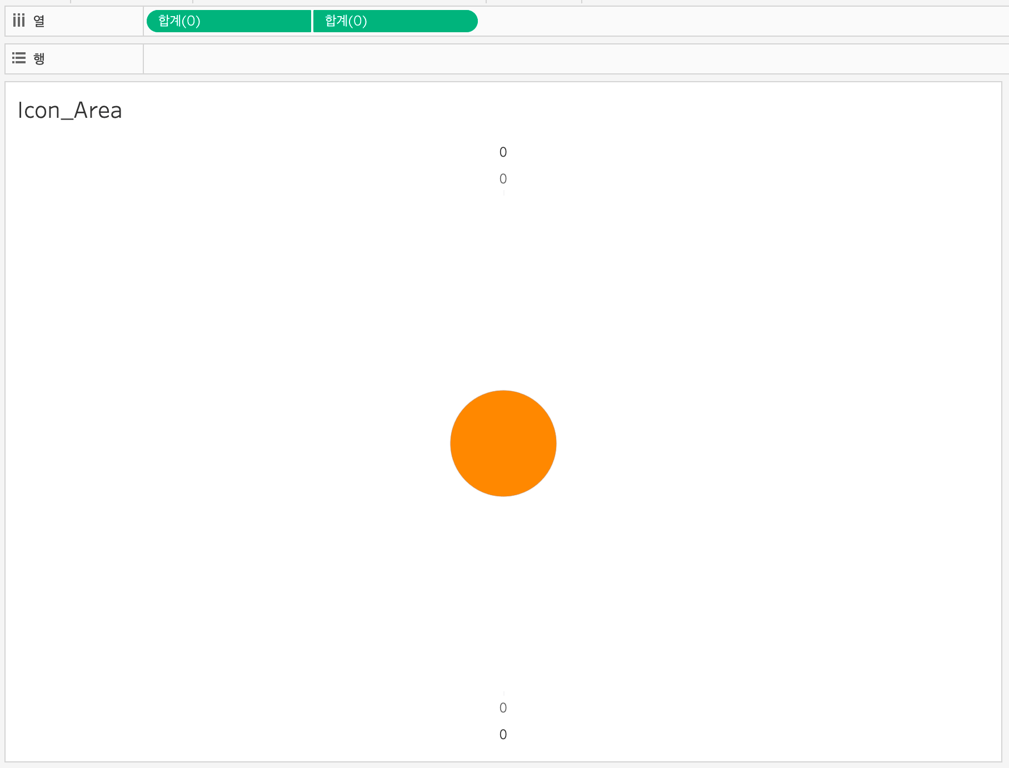
2. 첫번째 마크를 다음과 같이 적용하기
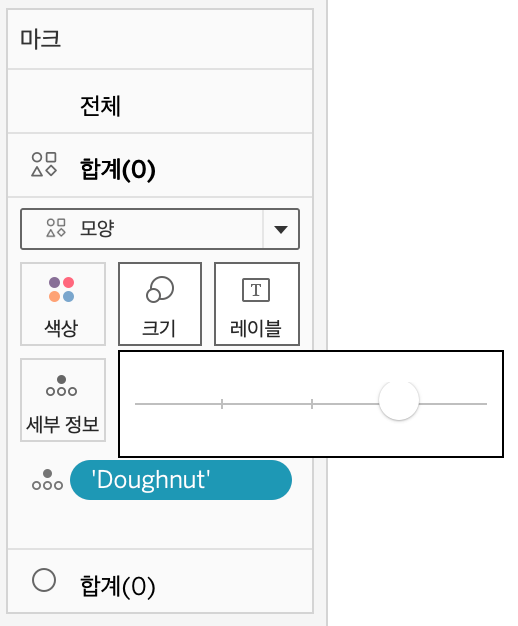
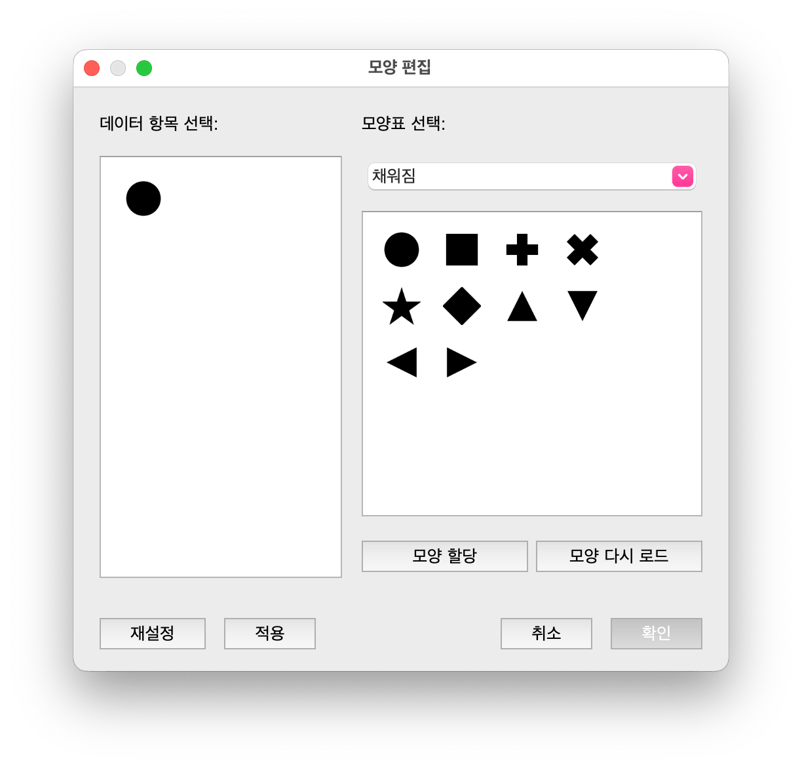
3. 두 번째 마크를 다음과 같이 적용하기
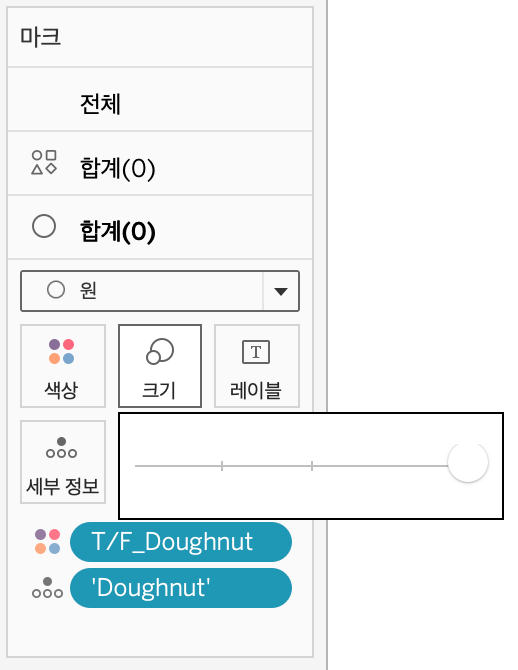
색상에
T/F_Doughnut 를 올려주는 이유는, 대시보드 상에서- 해당 아이콘을 클릭했을 때 색상이 나타나고
- 해당 아이콘을 클릭하지 않았을 때 색상이 나타나지 않는
효과를 줌!
네 번째 시트 - Icon_Area
1. 행과 열을 다음과 같이 배치하기
2. 첫번째 마크를 다음과 같이 변경하기
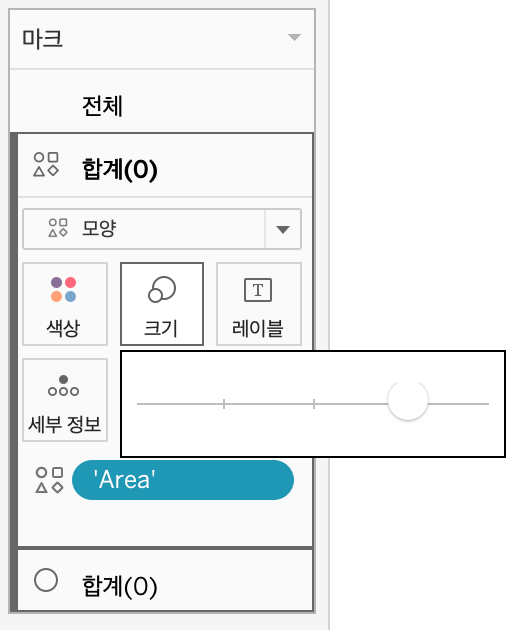
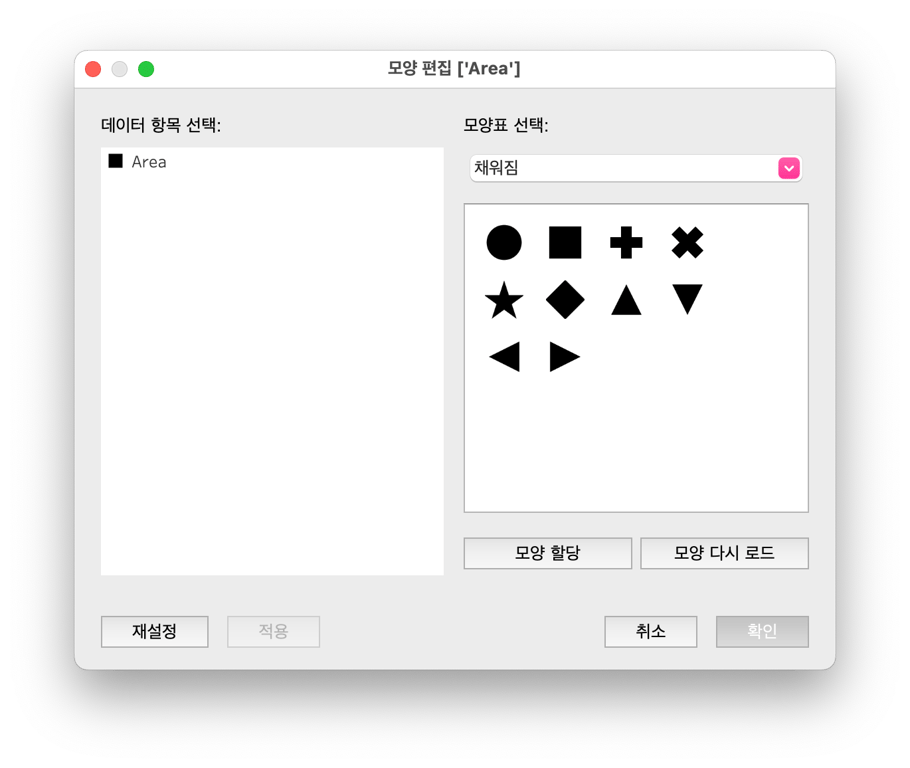
3. 두번째 마크를 다음과 같이 변경하기
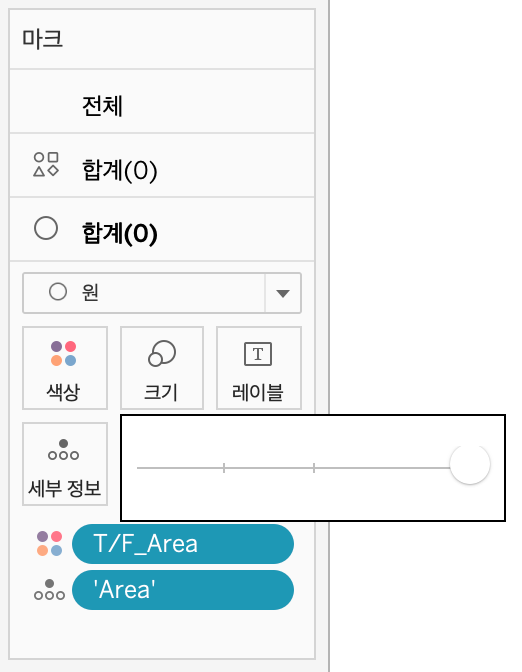
색상에
T/F_Area 를 올려주는 이유는, 대시보드 상에서- 해당 아이콘을 클릭했을 때 색상이 나타나고
- 해당 아이콘을 클릭하지 않았을 때 색상이 나타나지 않는
효과를 줌!
대시보드 만들기
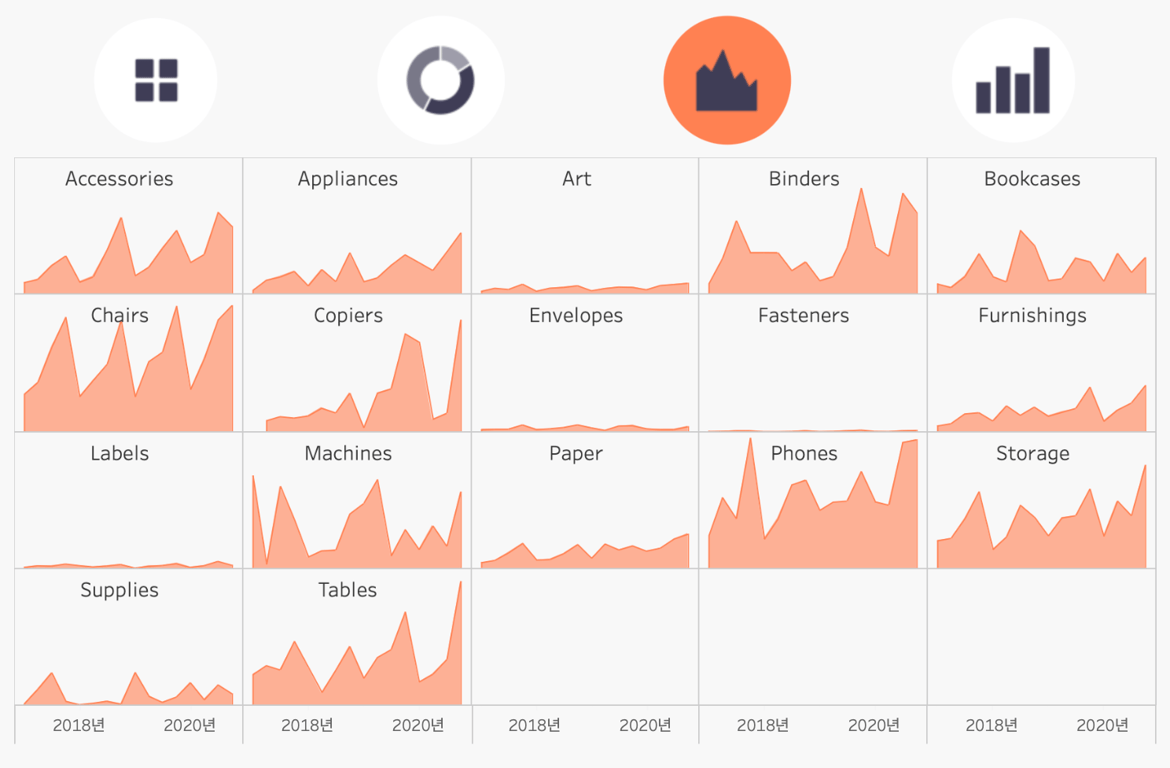
1. 워크시트 배치
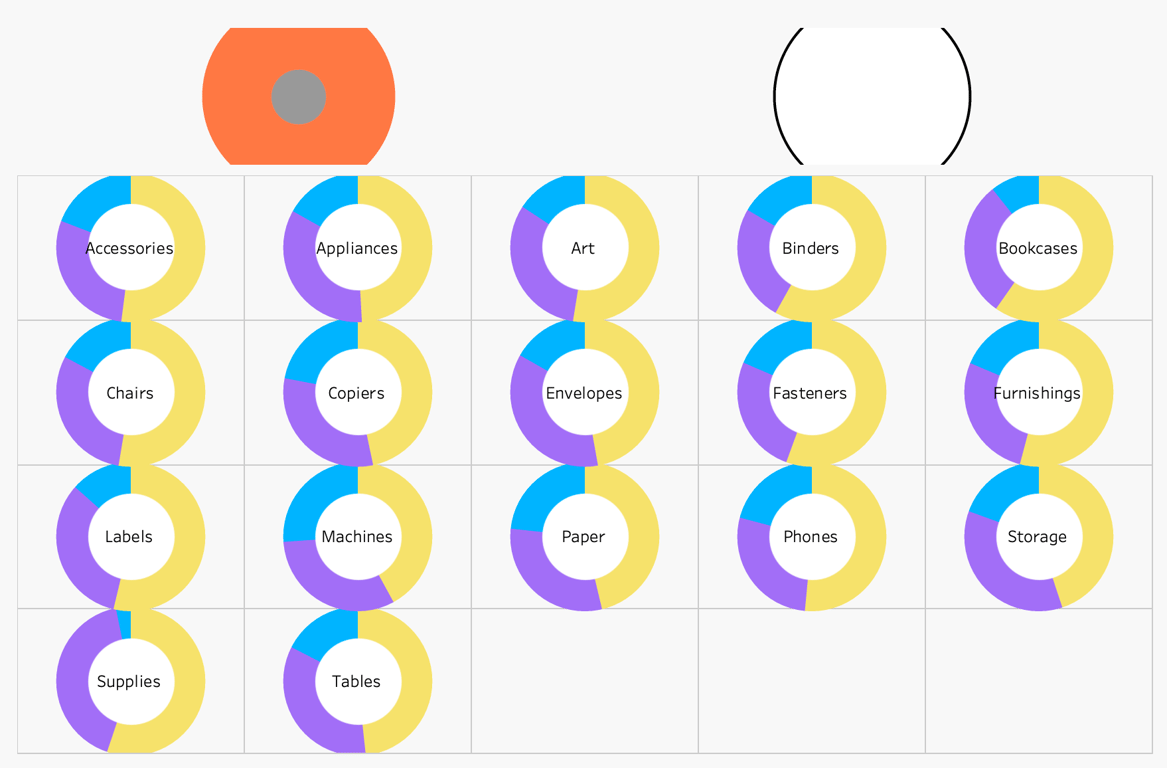
- 상단 컨테이너 - 차트 아이콘
- 하단 컨테이너 - 차트
2. 대시보드 동작 - 매개변수 변경하기
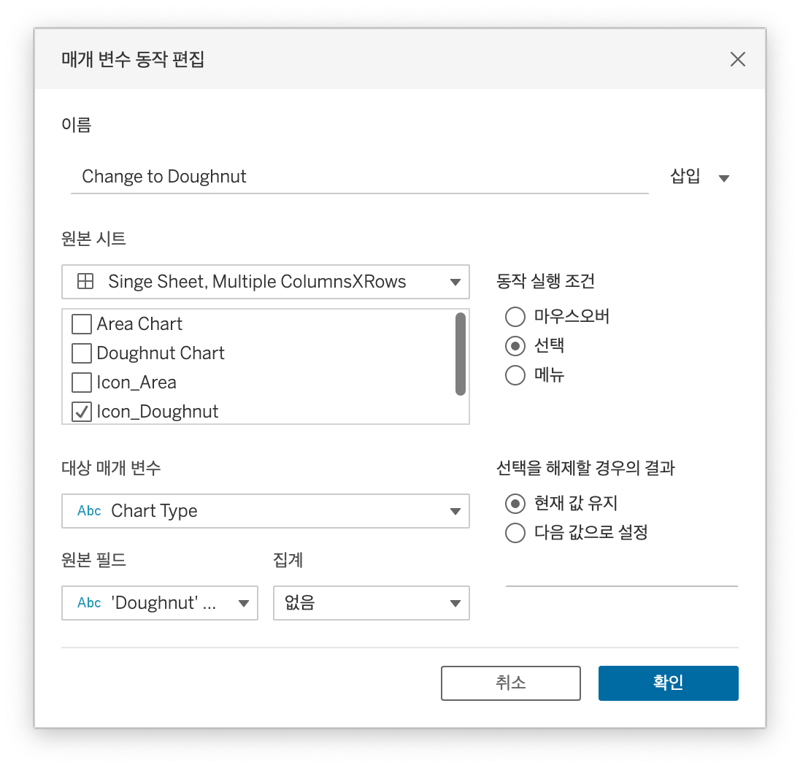
Icon_Doughnut 을 클릭했을 때, Doughnut 차트가 나타나는 효과!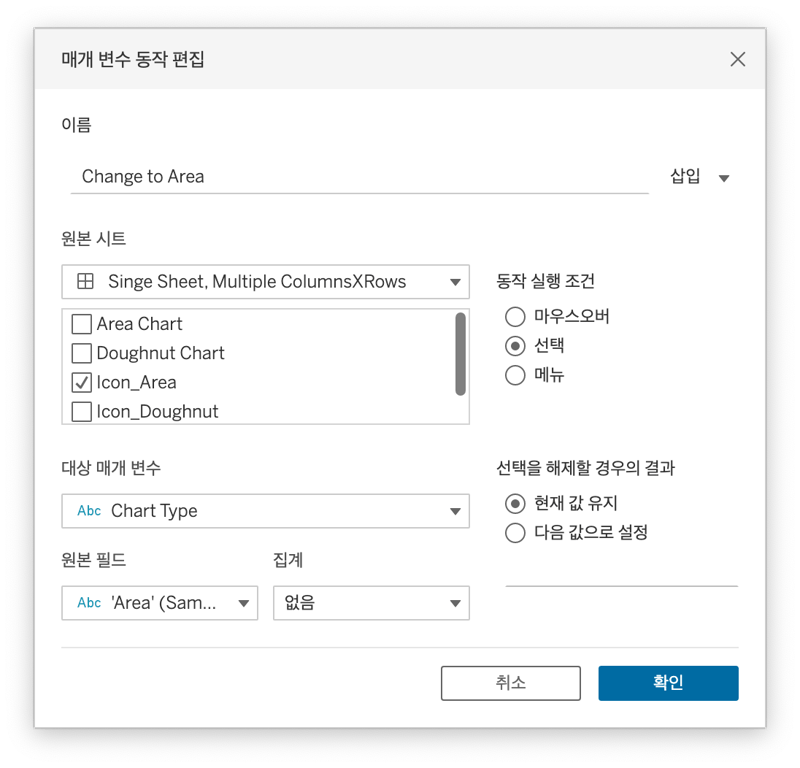
- 가로 컨테이너
- 시트 하나 올리고
- 세로 컨테이너
- 아이콘 착착
- 매개변수 동작
- 다른 시트 올리면 끗
Icon_Area 을 클릭했을 때, Area 차트가 나타나는 효과!
 Made with Bullet